
Dynamic Link Libraries (DLLs)
Quick Navigation:
- Dynamic Link Libraries (DLLs) Definition
- Dynamic Link Libraries (DLLs) Explained Easy
- Dynamic Link Libraries (DLLs) Origin
- Dynamic Link Libraries (DLLs) Etymology
- Dynamic Link Libraries (DLLs) Usage Trends
- Dynamic Link Libraries (DLLs) Usage
- Dynamic Link Libraries (DLLs) Examples in Context
- Dynamic Link Libraries (DLLs) FAQ
- Dynamic Link Libraries (DLLs) Related Words
Dynamic Link Libraries (DLLs) Definition
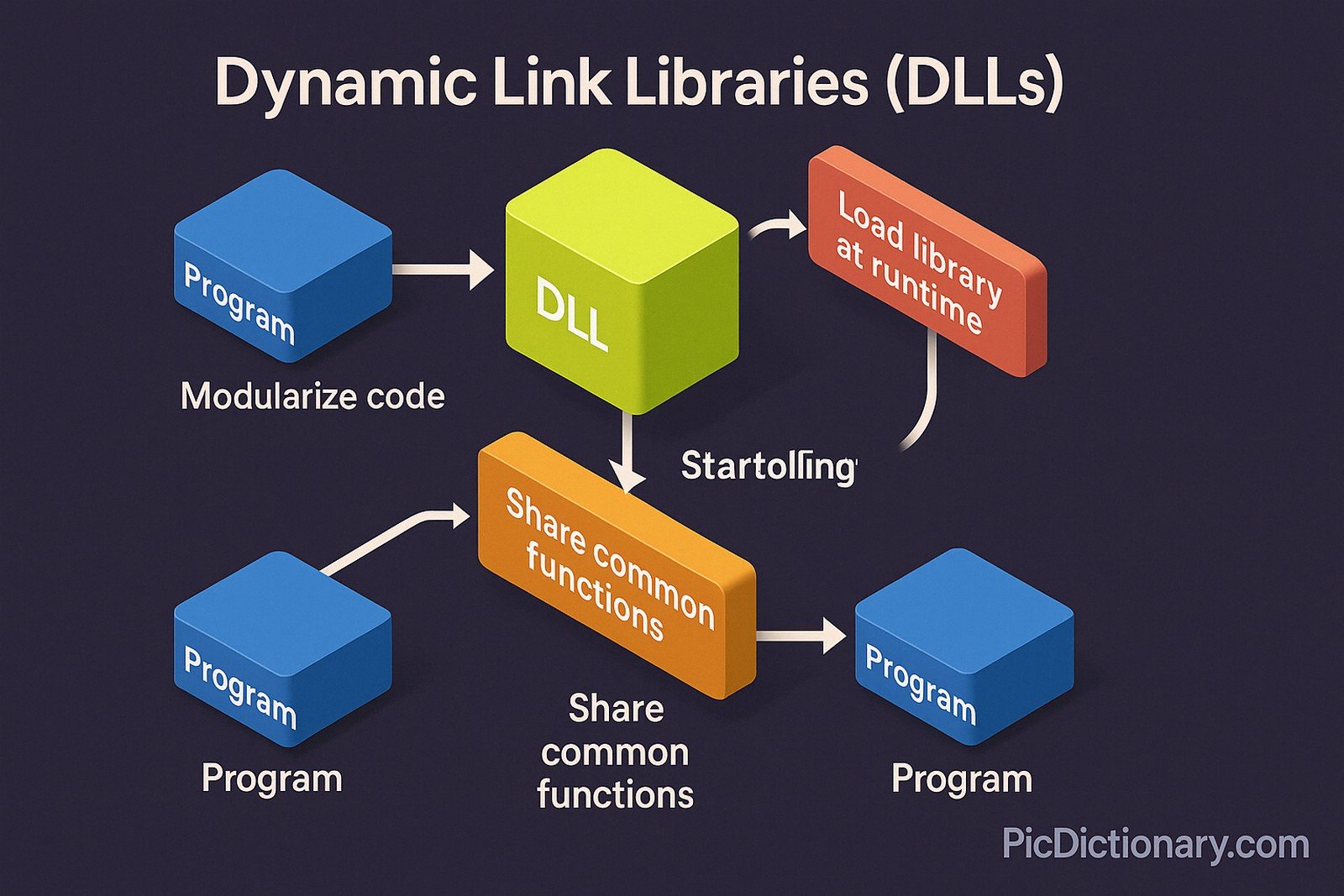
Dynamic Link Libraries (DLLs) are modules or files in Windows operating systems that contain code, data, and resources that can be used by multiple programs simultaneously. Instead of embedding all functionalities in a single program, developers use DLLs to modularize code and share common functions. This allows efficient use of memory, reduces disk space, and helps with code reusability. DLLs are crucial for loading libraries dynamically during runtime, enabling software updates or enhancements with.
Dynamic Link Libraries (DLLs) Explained Easy
Imagine you have a big box of LEGO blocks. Instead of building everything in one go, you have separate boxes for wheels, windows, and doors that everyone in the house can use whenever they need. DLLs are like those separate boxes of building blocks that many programs can borrow from to build their own creations.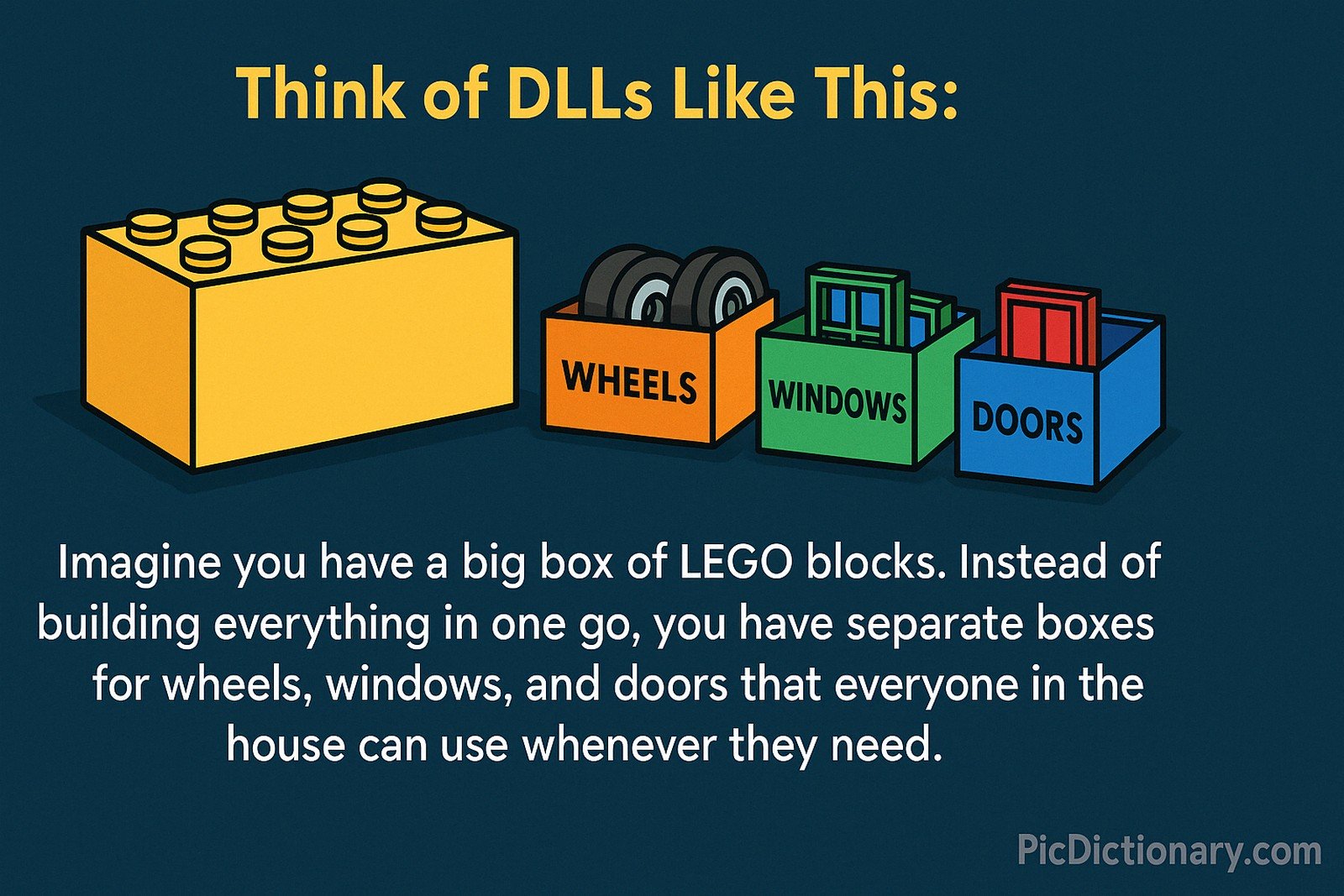
Dynamic Link Libraries (DLLs) Origin
Dynamic Link Libraries were introduced with the Microsoft Windows operating system to support modular programming and resource sharing. The concept dates back to Windows 1.0 but became more advanced with Windows 3.x and Windows 95, providing applications with the ability to dynamically load functions at runtime.
Dynamic Link Libraries (DLLs) Etymology
The term comes from the idea of "dynamic linking," where the linking of libraries occurs during program execution, not at compile time. The "library" part represents a collection of reusable code.
Dynamic Link Libraries (DLLs) Usage Trends
DLLs have remained integral to Windows-based development since their inception. Although newer technologies like .NET assemblies and containerized applications are growing, DLLs are still widely used in legacy applications, game engines, software drivers, and enterprise tools, with a steady presence in development environments requiring dynamic resource management.
Dynamic Link Libraries (DLLs) Usage
- Formal/Technical Tagging:
- Software Engineering
- Windows OS
- Modular Programming
- Runtime Libraries - Typical Collocations:
- "load a DLL"
- "shared DLL file"
- "missing DLL error"
- "register DLL"
- "dynamic linking"
Dynamic Link Libraries (DLLs) Examples in Context
- Game applications load physics engines via separate DLLs to improve performance.
- Windows updates often patch DLLs without requiring a full application reinstall.
- Developers use third-party DLLs to add features like PDF export to their applications.
Dynamic Link Libraries (DLLs) FAQ
- What are DLLs used for?
DLLs store code and resources that multiple programs can use to save space and make development more efficient. - Can DLLs be shared between applications?
Yes, DLLs are designed to be shared between different programs. - What causes DLL errors?
DLL errors usually happen when a required DLL is missing, corrupted, or incompatible. - Can DLLs be manually registered?
Yes, using commands like regsvr32 on Windows systems. - Are DLLs only used in Windows?
Primarily yes, although similar concepts exist in other operating systems under different names. - Can I edit a DLL file?
While technically possible, editing DLLs without expertise can corrupt programs. - What is dynamic linking?
It’s the process of loading libraries at runtime rather than during program compilation. - Do DLLs improve performance?
They help reduce memory usage and improve modularity but do not always guarantee faster execution. - What is a missing DLL error?
An error that occurs when a program can't find the DLL file it depends on. - Can DLLs carry viruses?
Yes, malicious DLLs can be disguised to harm your computer if sourced from untrusted locations.
Dynamic Link Libraries (DLLs) Related Words
- Categories/Topics:
- Shared Libraries
- Modular Programming
- Software Engineering
- Windows Development
Did you know?
In 2010, a security flaw known as "DLL hijacking" was discovered, where attackers could trick applications into loading malicious DLLs. This vulnerability prompted widespread updates and new security measures in Windows operating systems to prevent unauthorized DLL loading.
PicDictionary.com is an online dictionary in pictures. If you have questions or suggestions, please reach out to us on WhatsApp or Twitter.Authors | Arjun Vishnu | @ArjunAndVishnu

I am Vishnu. I like AI, Linux, Single Board Computers, and Cloud Computing. I create the web & video content, and I also write for popular websites.
My younger brother, Arjun handles image & video editing. Together, we run a YouTube Channel that's focused on reviewing gadgets and explaining technology.




Comments powered by CComment