
Light Weight Directory Access Protocol (LDAP)
Quick Navigation:
- Lightweight Directory Access Protocol (LDAP) Definition
- Lightweight Directory Access Protocol (LDAP) Explained Easy
- Lightweight Directory Access Protocol (LDAP) Origin
- Lightweight Directory Access Protocol (LDAP) Etymology
- Lightweight Directory Access Protocol (LDAP) Usage Trends
- Lightweight Directory Access Protocol (LDAP) Usage
- Lightweight Directory Access Protocol (LDAP) Examples in Context
- Lightweight Directory Access Protocol (LDAP) FAQ
- Lightweight Directory Access Protocol (LDAP) Related Words
Lightweight Directory Access Protocol (LDAP) Definition
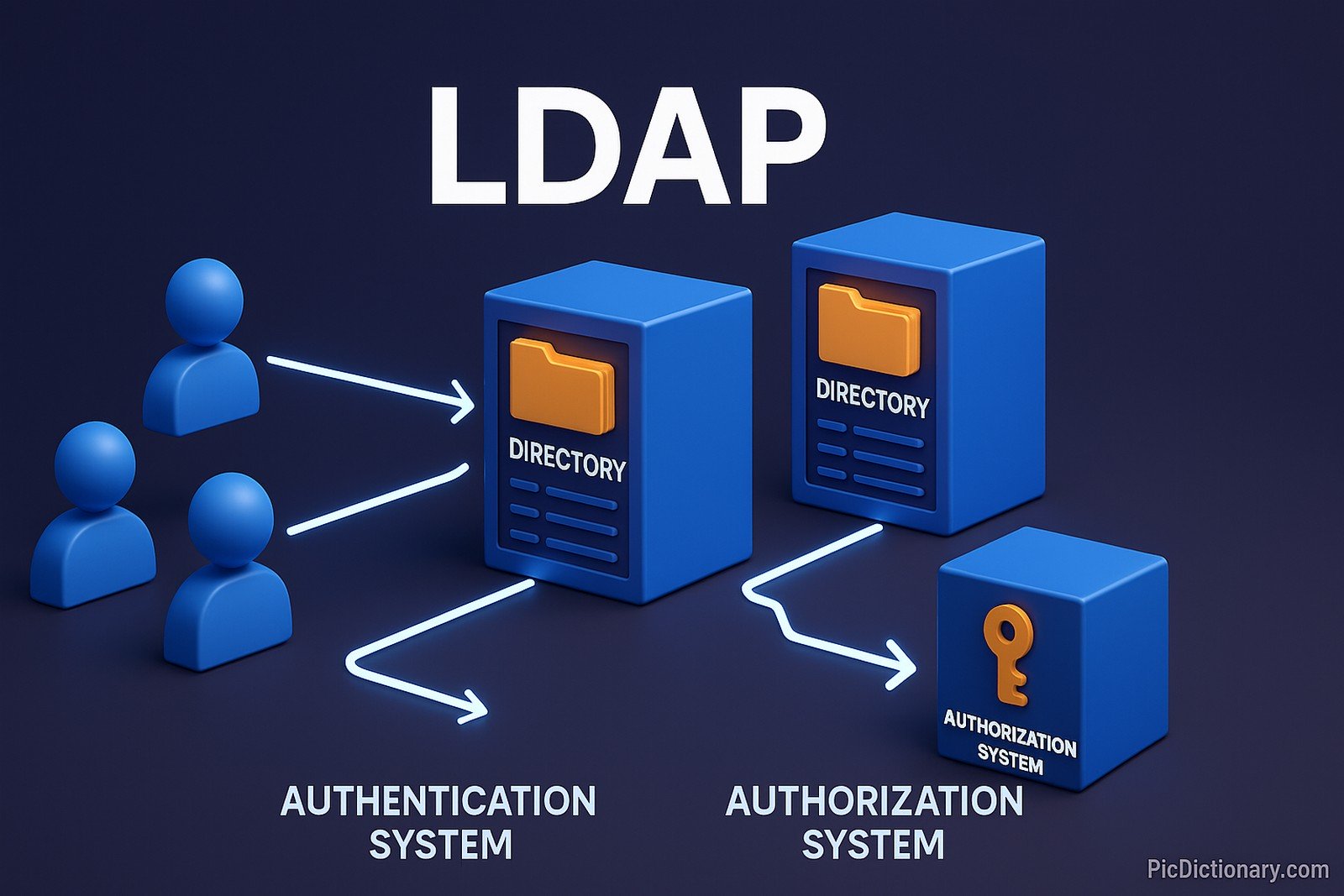
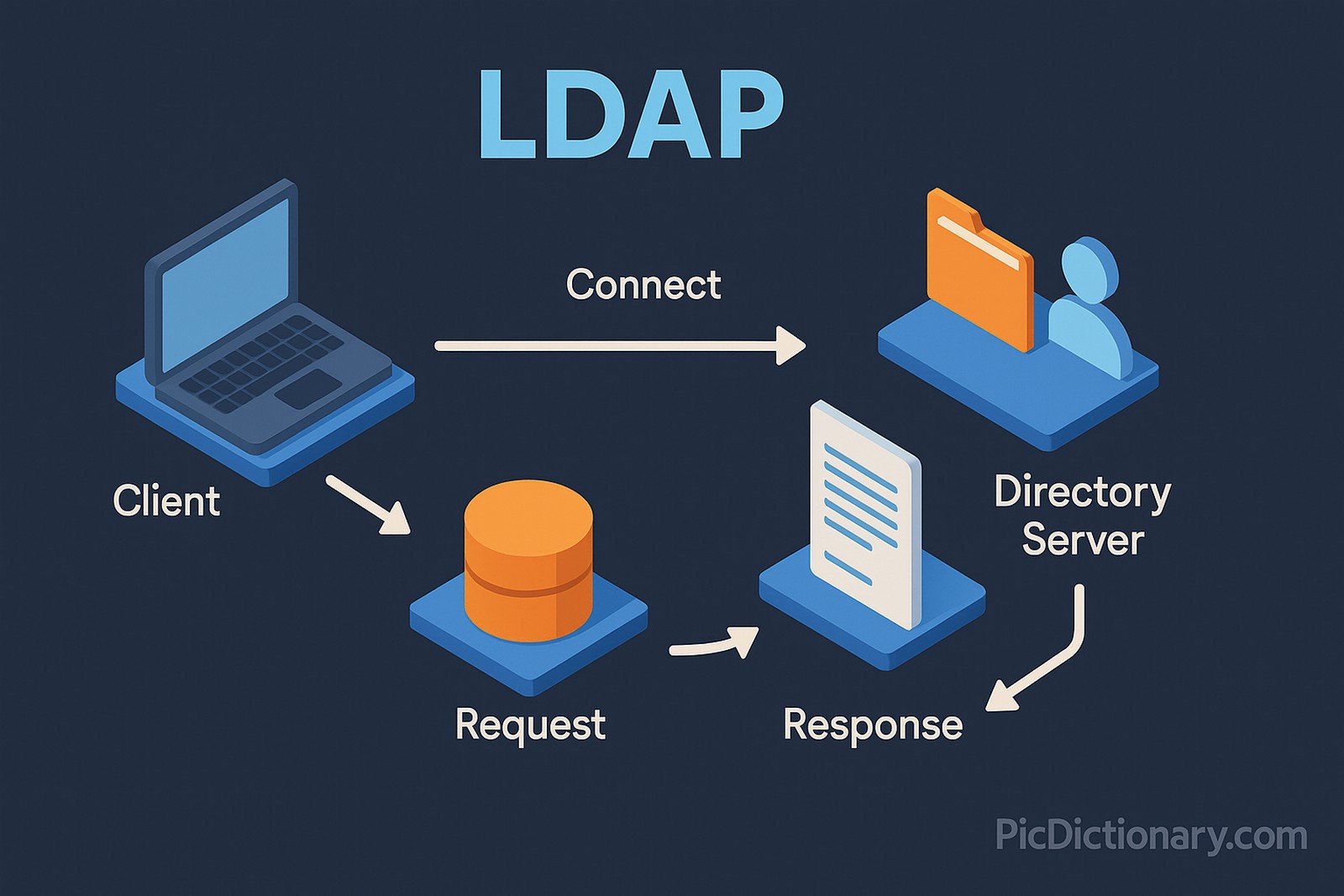
Lightweight Directory Access Protocol (LDAP) is an open, vendor-neutral application protocol used for accessing and maintaining distributed directory information services over an IP network. These directories typically store data like user information, groups, devices, and authentication credentials. LDAP allows clients to search, read, and modify directory services. It operates over TCP/IP and uses a hierarchical structure of entries organized in a tree. LDAP is commonly used for authentication, authorization, and directory lookup services in enterprise environments, enabling centralized user management.
Lightweight Directory Access Protocol (LDAP) Explained Easy
Think of LDAP like a huge phonebook for computers. Instead of phone numbers, it stores information about people, computers, printers, and more. If your computer needs to find out where someone’s email account is or what their password is, it looks in the LDAP directory — just like flipping through a phonebook to find a name and number.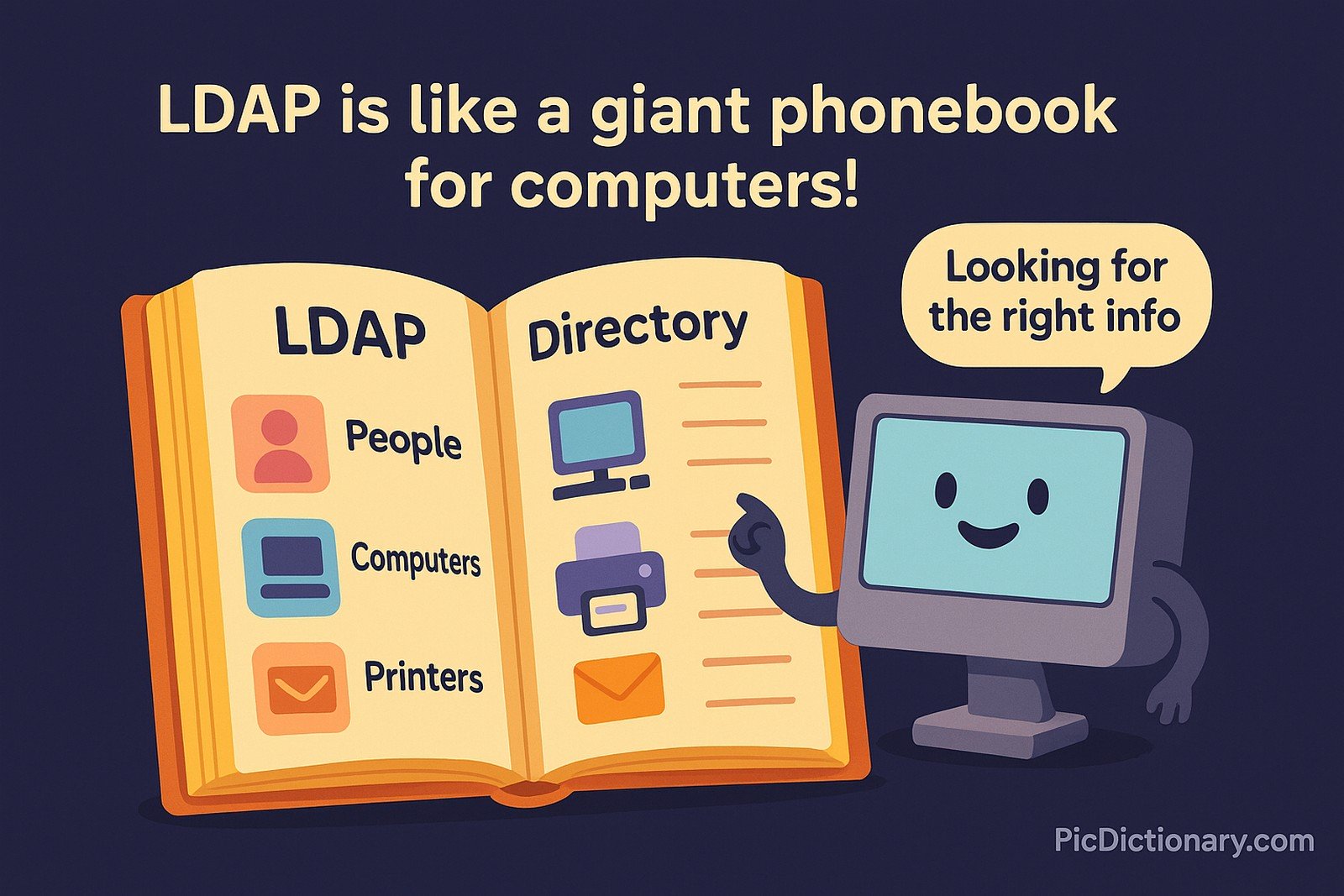
Lightweight Directory Access Protocol (LDAP) Origin
LDAP was developed in the early 1990s at the University of Michigan as a lightweight alternative to the Directory Access Protocol (DAP), which was part of the X.500 directory standard. It gained popularity as a simpler, more efficient way to access directory services using TCP/IP, rather than requiring complex protocols.
Lightweight Directory Access Protocol (LDAP) Etymology
The word “Lightweight” indicates its simplified, less resource-intensive design compared to older directory protocols, and "Protocol" refers to the set of rules and standards used for communication between systems.
Lightweight Directory Access Protocol (LDAP) Usage Trends
LDAP has remained highly relevant due to its critical role in identity management and authentication. With the rise of cloud computing and hybrid IT infrastructures, LDAP continues to integrate with platforms like Microsoft Active Directory, OpenLDAP, and cloud identity providers. It is widely used in enterprise IT systems, email directories, intranet applications, and access control systems.
Lightweight Directory Access Protocol (LDAP) Usage
- Formal/Technical Tagging:
- Authentication
- Directory Services
- User Management - Typical Collocations:
- "LDAP server"
- "LDAP authentication"
- "LDAP directory"
- "bind to LDAP"
- "LDAP query"
Lightweight Directory Access Protocol (LDAP) Examples in Context
- Organizations use LDAP to manage employee login credentials and permissions.
- Email clients often use LDAP directories to auto-complete recipient addresses.
- IT administrators rely on LDAP queries to pull user data and control access to resources.
Lightweight Directory Access Protocol (LDAP) FAQ
- What is LDAP?
LDAP is a protocol for accessing and maintaining directory services over a network. - How does LDAP work?
It organizes data in a hierarchical structure and allows clients to query, read, and modify entries. - Is LDAP secure?
LDAP itself can be secure when combined with protocols like LDAPS (LDAP over SSL/TLS). - What are common uses of LDAP?
It's used for authentication, user directories, email address lookups, and access control. - What platforms support LDAP?
Microsoft Active Directory, OpenLDAP, and Apache Directory Server are popular implementations. - What is the difference between LDAP and LDAPS?
LDAP transmits data in plaintext, while LDAPS encrypts communication for security. - Can LDAP be used in cloud environments?
Yes, many cloud providers offer LDAP-compatible identity services. - What programming languages support LDAP integration?
Languages like Python, Java, PHP, and C# support LDAP libraries. - How do you query an LDAP server?
You can query using LDAP-specific search commands or client tools. - Is LDAP still relevant today?
Absolutely; it remains essential for user management and authentication in modern IT.
Lightweight Directory Access Protocol (LDAP) Related Words
- Categories/Topics:
- Authentication
- Directory Services
- Identity Management
- Networking
Did you know?
In 1995, LDAP was instrumental in enabling early corporate email systems to integrate global address books, saving businesses millions in manual administration. Its simplicity and flexibility contributed to it becoming the backbone for user management systems globally.
PicDictionary.com is an online dictionary in pictures. If you have questions or suggestions, please reach out to us on WhatsApp or Twitter.Authors | Arjun Vishnu | @ArjunAndVishnu

I am Vishnu. I like AI, Linux, Single Board Computers, and Cloud Computing. I create the web & video content, and I also write for popular websites.
My younger brother, Arjun handles image & video editing. Together, we run a YouTube Channel that's focused on reviewing gadgets and explaining technology.




Comments powered by CComment